Dhivehi Messenger1.0
Publisher Description


Dhivehi Messenger is an Android chat application, with Dhivehi Messenger Android Messenger users, can chat together on their mobile phones using our new application, now chat is faster, easier, and more fun!
User Features:
ِAudio/ Video call.
Send, receive messages.
Full Group chat system
Find nearby users using GPS
Registration pages and steps.
Share & upload images, Sound Record.
Offline access to all messages and recent conversions.
Update chat status.
Explore New user’s & Friends.
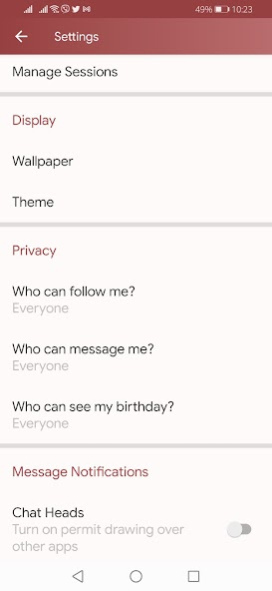
Control Your Privacy.
Control Your Settings.
Change Profile information.
Explore user’s profiles and status.
ِ30+ new features.
*New story system with ability of drag.
*Ability to unmute / mute notification.
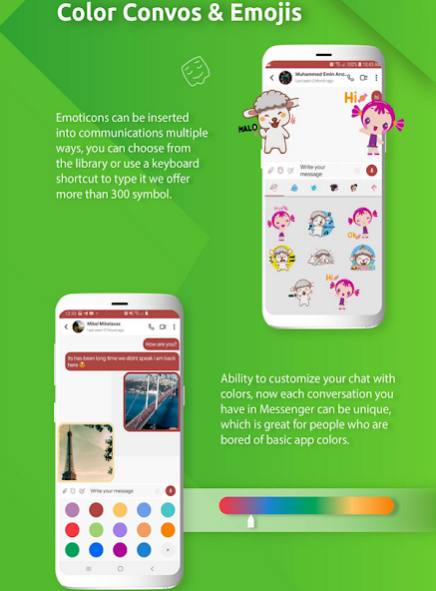
*Ability to change chat window Wallpaper.
*Ability to Pin last chat.
*Ability to Pin messages.
*Scroll down button.
*Ability to Archive Chats messages.
*Ability to mark as UnRead and read all.
*New mic record view.
*Compress system on uploaded videos.
*New Stickers HD quality and Emojis system.
*Drag to close when open image viewer.
*Loading icon when loading first time on Chat Window.
*for multiple packages and framworks.
*15+ Reported bugs
About Dhivehi Messenger
The company that develops Dhivehi Messenger is Softmv. The latest version released by its developer is 1.0.
To install Dhivehi Messenger on your Android device, just click the green Continue To App button above to start the installation process. The app is listed on our website since 2021-07-26 and was downloaded 4 times. We have already checked if the download link is safe, however for your own protection we recommend that you scan the downloaded app with your antivirus. Your antivirus may detect the Dhivehi Messenger as malware as malware if the download link to com.dhivehimessenger.mv is broken.
How to install Dhivehi Messenger on your Android device:
- Click on the Continue To App button on our website. This will redirect you to Google Play.
- Once the Dhivehi Messenger is shown in the Google Play listing of your Android device, you can start its download and installation. Tap on the Install button located below the search bar and to the right of the app icon.
- A pop-up window with the permissions required by Dhivehi Messenger will be shown. Click on Accept to continue the process.
- Dhivehi Messenger will be downloaded onto your device, displaying a progress. Once the download completes, the installation will start and you'll get a notification after the installation is finished.
Program Details
System requirements
Download information
Pricing
Version History
version 1.0
posted on 2021-07-26
[Added] Support for Android 11 SDK.
[Added] Socket system for Chat.
[Added] Ability to check vision Image.
[Added] Ability to react on messages.
[Added] Ability to reply on messages.
[Added] Ability to view upload progress on images and videos.
[Added] Pending clock when seding messages.
[Added] New style to select attachments media.
[Fixed] Send message from page.
[Fixed] Show gif message.
[Fixed] Forward messages.
[Fixed] Scroll list message issue.
[Fixed] 15+ Reported bugs
